
Quick answer
Independent Medicare agents should not rely on one FMO-provided platform, CRM, phone system, or enrollment tool as the only place where long-term compliance records live. Use quoting and enrollment tools for quoting and enrollment. Use an independent vault for SOAs, call recordings, ACA records, uploaded files, retrieval, and export.
Independent Medicare agents change tools all the time.
You may quote in SunFire, enroll through Connecture, work inside MedicareCENTER, keep notes in a CRM, record calls through a phone system, store PDFs in cloud folders, and rely on an FMO or agency portal for parts of the sales process.
That can work well during the sale.
The problem starts later.
What happens when you change FMOs? What happens when your CRM changes? What happens when your phone system changes? What happens when a platform login is removed? What happens when you need an old Scope of Appointment, call recording, ACA consumer consent record, eligibility application review confirmation, telephonic enrollment record, uploaded PDF, or complaint-response file?
That is the real issue this article solves.
This is not about abandoning your quoting or enrollment tools. It is about making sure your long-term Medicare and ACA records are not trapped inside a system you may not control forever.
The practical strategy is simple:
Use your quoting and enrollment tools for quoting and enrollment. Use an independent compliance vault for SOAs, call recordings, ACA records, uploaded files, retrieval, and export.This is a decoupled recordkeeping model:
Keep the proof under your account.The Short Answer
Independent Medicare agents should not rely on one FMO-provided platform, CRM, phone system, or enrollment tool as the only place where long-term compliance records live.
A better workflow is:
- Use your approved quoting and enrollment tools for plan comparison and applications.
- Use your required carrier, agency, FMO, CMS, Marketplace, and state-law procedures.
- Keep SOAs, call recordings, ACA consent records, eligibility review confirmations, telephonic enrollment records, uploaded files, notes, and historical documents in a separate recordkeeping layer.
- Make sure those records are searchable, connected, and exportable if you change FMOs, agencies, CRMs, phone systems, or sales workflows.
That is where an independent vault can help.
Electronic SOA is the focused self-service product for branded SOA links, signatures, completion tracking, and completed-SOA retrieval. Broader telephone, ACA, upload, historical-record, and cross-workflow storage needs are evaluated through an Essentials demo or an agency agreement.
Why FMO Platform Lock-In Creates a Recordkeeping Problem
FMO-provided tools can be useful. Many agents use them every day for quoting, enrollment, client management, SOAs, call recording, and other sales workflows.
The risk is not that these tools are bad.
The risk is using one platform as the only long-term archive for records that may need to survive a business change.
Your compliance file may be scattered across:
- A Medicare quote-and-enroll platform.
- An FMO portal.
- A CRM.
- A phone system.
- A cloud storage folder.
- A staff member’s account.
- An agency-owned workspace.
- A carrier workflow.
- A desktop folder.
- An old call recording export.
- A shared drive no one reviews anymore.
That creates a simple but serious problem:
You may have made the record, but you may not be able to retrieve the complete record package later.A call recording by itself may not be enough. An SOA by itself may not be enough. A CRM note by itself may not be enough. A consent form by itself may not be enough.
When a carrier, agency, FMO, compliance reviewer, CMS reviewer, Marketplace reviewer, consumer, or complaint team asks what happened, the useful record is usually the whole package:
- The call.
- The SOA.
- The consent record.
- The eligibility review confirmation.
- The enrollment-related file.
- The uploaded documents.
- The notes.
- The date and time.
- The agent identity.
- The product context.
- The exportable proof.
That full package should not depend on whether you still have access to last year’s FMO platform.
What Records Should Independent Medicare Agents Keep Portable?
A portable recordkeeping workflow should cover more than one file type. At minimum, independent agents should think about these record categories.
Medicare Scope of Appointment Records
CMS’s CY2027 final rule states that, before a personal marketing appointment, the MA plan or agent/broker must agree upon and record the Scope of Appointment with the beneficiary, and the SOA must be in writing for in-person personal marketing appointments.
That makes SOA records part of the long-term proof file. The issue is not only whether an SOA was completed. The issue is whether the agent can retrieve the right SOA later and show what it covered.
Medicare Marketing and Sales Call Recordings
For CY2027, CMS finalized that Medicare Advantage and Part D marketing and sales calls, including the audio portion of web-based calls, must be recorded and retained in their entirety for at least six years. Audio must be maintained for the first three years, and years four through six may be maintained as audio or as complete and accurate transcript recordings. For the full rule discussion, read Medicare call recording requirements for agents.
That makes storage, classification, and retrieval important. Agents should be able to distinguish a marketing or sales call from an enrollment record.
Medicare Enrollment Records
CMS also made clear that the CY2027 marketing and sales call retention change did not remove the separate 10-year enrollment-record requirement. CMS explained that, for phone enrollments, the enrollment portion of the call can serve as the enrollment form and proof of the beneficiary’s intent to enroll. For a deeper look at that split, read Medicare call recording 6 years vs. 10 years and marketing call vs. enrollment recording.
That means an agent should not treat every recording as the same type of record. A sales discussion and a telephonic enrollment portion may need different handling.
ACA Consumer Consent Records
ACA Marketplace rules require agents, brokers, and web-brokers to obtain and document consumer consent before assisting with or facilitating enrollment through a Federally-facilitated Exchange or helping with APTC or CSR applications. The rule allows several types of documentation, including a verbal confirmation captured in an audio recording, and requires consent documentation to be maintained for at least 10 years.
For agents who write both Medicare and ACA business, this matters. Your recordkeeping system should support both Medicare and ACA files without mixing them into a generic “miscellaneous documents” folder.
ACA Eligibility Application Review Records
Marketplace rules also require documentation that eligibility application information was reviewed by and confirmed accurate by the consumer or authorized representative before submission, and that documentation must be maintained for at least 10 years. Read the dedicated guide to ACA consumer consent and eligibility application review records for the fuller distinction.
That is a separate documentation track from ACA consent. If your storage system cannot distinguish consent from application review, it may be harder to prove what happened later.
Uploaded Sales Documents and Historical Files
Agents also need a place for PDFs, screenshots, signed forms, carrier request files, complaint-response files, plan documents, replacement records, and historical records from old systems.
Those documents often become important only after the sale is over.
That is why record storage should be designed around retrieval, not just upload.
What Does Portable SOA and Call Recording Storage Mean?
Portable storage does not simply mean “I downloaded a file once.”
Portable storage means the agent can still find, understand, and export the record after the business changes.
A portable Medicare and ACA record should answer:
- Who is the consumer?
- Which agent handled the interaction?
- What date and time did it happen?
- Was it Medicare, ACA, or both?
- Was it a marketing or sales call?
- Was it a telephonic enrollment record?
- Was an SOA required?
- Was the appointment in person, telephonic, or virtual?
- Was ACA consent captured?
- Was eligibility application review documented?
- What files belong with the call?
- Can the whole record package be exported?
A folder full of MP3s is not the same thing as portable recordkeeping.
A portable vault should keep the record connected.
Why Free FMO Tools Can Still Be Expensive Later
Many FMO-provided platforms are attractive because they are available at no direct cost to eligible agents. That can be a strong benefit during the sales process.
But “free” can become expensive if the cost shows up later as:
- Lost access after changing FMOs.
- Limited export options.
- Records split between multiple accounts.
- Old call recordings disconnected from SOAs.
- ACA records stored somewhere else.
- A phone system archive that does not match the enrollment file.
- Inability to produce a full complaint-response packet.
- Off-season storage tied to a platform you no longer use.
- Dependence on an agency or staff login that may disappear.
The better question is not whether a platform is useful.
The better question is:
Should this platform be my only long-term archive?For many independent agents, the answer should be no.
Use Each Tool for Its Proper Job
Independent agents do not need to turn every software decision into an all-or-nothing choice. A cleaner workflow is to let each tool do what it does best.
| Tool type | Best use | Recordkeeping risk |
|---|---|---|
| Quoting platform | Plan comparison and enrollment workflow | Records may be tied to platform, FMO, carrier, or agency access |
| CRM | Pipeline, tasks, follow-up, relationship management | Compliance records may become buried in notes or attachments |
| Phone system | Calling, texting, voicemail, call routing | Recordings may not stay connected to SOAs, consent, or enrollment files |
| Cloud storage | General file storage | Easy to misfile, overshare, rename, delete, or separate records |
| Independent vault | SOAs, call recordings, ACA records, uploaded files, retrieval, export | Best used when maintained consistently as the record layer |
This is the core idea behind decoupling the workflow:
Keep selling tools separate from the long-term proof archive.You can still use SunFire, Connecture, MedicareCENTER, carrier portals, EDE tools, CRMs, and phone systems. The point is to avoid making any one of them the only place your historical proof lives.
Can I Export Call Recordings From SunFire, Connecture, or MedicareCENTER?
Maybe. It depends on the platform, account, FMO, agency relationship, configuration, and whether the records are still available in the format you need.
But the better planning question is:
Could I export the complete proof packet, not just one recording?Before relying on any platform as your long-term archive, ask:
- Can I export all call recordings?
- Can I export recordings in bulk?
- Can I export transcripts?
- Can I export SOAs with the related recordings?
- Can I export ACA consent records?
- Can I export eligibility application review documentation?
- Can I export notes, uploaded files, and supporting documents?
- What happens if I leave my FMO?
- What happens if my agency changes platforms?
- What happens if the phone system changes?
- What happens if my CRM contract ends?
- Who owns the account where the records live?
For vendor-specific details, read SunFire vs. Informed + Choice for call recording and MedicareCENTER vs. Informed + Choice for agent records.
Do I Need an Expensive CRM to Stay Compliant?
Not necessarily.
A CRM can be valuable if you need pipeline management, automated follow-up, team workflows, lead routing, commissions, task management, or agency operations.
But many independent agents do not need a full CRM just to store:
- SOAs.
- Call recordings.
- Telephone SOA records.
- ACA consent records.
- Eligibility review confirmations.
- Telephonic enrollment records.
- Uploaded files.
- Historical PDFs.
- Complaint-response records.
- Exportable proof packets.
A CRM is usually designed around relationship management.
A compliance vault should be designed around proof.
If your CRM does not keep the call, SOA, consent record, application review confirmation, enrollment file, uploaded documents, notes, and export trail together, it may not solve the recordkeeping problem.
What Changed About the Medicare 48-Hour SOA Rule?
The 48-hour timing change affects appointment timing, not record portability.
For the portability issue, the important point is this:
CMS finalized the elimination of the 48-hour waiting period between SOA completion and a personal marketing appointment. CMS also stated that plans and agents/brokers still must complete an advance agreement, just without a specified timeframe, and beneficiaries may complete the SOA just prior to discussing plan products or in advance of a future appointment.
That makes the workflow easier in some ways, but it does not remove the need for a retrievable SOA record.
For the dedicated explanation, read CMS eliminated the 48-hour SOA rule.
What Does CMS Require for Call Recording Retention?
The CY2027 call-recording rule creates a separate storage timeline:
The key retention summary is:
- Medicare marketing and sales calls must be recorded and retained for at least six years.
- Audio must be kept for the first three years.
- Years four through six may be maintained as audio or complete and accurate transcript recordings.
- Enrollment records remain separate and should not be treated as ordinary marketing/sales recordings.
For details, read Medicare call recording requirements for agents and Medicare call recording 6 years vs. 10 years.
Why Record Type Matters When Leaving an FMO
A single client interaction may create several different records.
For example, one sales workflow may include:
- A Medicare marketing conversation.
- A Scope of Appointment.
- A call recording.
- A plan comparison.
- A telephonic enrollment portion.
- A carrier confirmation.
- An ACA consent discussion for another household member.
- An eligibility review confirmation.
- Uploaded documents.
- Agent notes.
If those records are split across five systems, changing FMOs becomes harder.
If the record is organized in one exportable vault, changing FMOs becomes more manageable.
The agent does not need to rebuild the story from fragments.
The Independent-Agent Recordkeeping Checklist
Use this checklist before depending on any FMO tool, CRM, phone system, or platform as your long-term archive.
1. Confirm Who Owns the Account
Is the record stored under your agent account, your agency’s account, your FMO’s account, a staff account, or a platform account?
If you do not control the account, you may not control the archive.
2. Confirm What Happens When You Leave
Ask what happens if you change:
- FMOs.
- Agencies.
- CRMs.
- Phone systems.
- Quoting platforms.
- Enrollment platforms.
- EDE tools.
- Staff or admin users.
Do not wait until the transition has already happened.
3. Confirm Whether Call Recordings Are Exportable
A platform that records calls is not automatically a platform that exports call recordings in a way that works for your business.
Ask about single-record export, bulk export, transcripts, file naming, metadata, and whether related SOAs or documents export with the recording.
4. Confirm Whether SOAs Stay Connected to Calls
A call recording is more useful when it stays connected to the related Scope of Appointment.
If the SOA is in one system and the recording is in another, your future self may have to reconstruct the file manually.
5. Confirm Whether ACA Records Are Included
If you also write ACA business, ask whether the same archive supports ACA consumer consent, eligibility application review documentation, Marketplace files, call recordings, and uploaded documents.
ACA consent and eligibility review records are not optional side notes. Federal Marketplace rules require these records to be maintained for at least 10 years and produced upon request.
6. Confirm Whether Enrollment Records Are Classified Separately
Do not assume a telephonic enrollment portion is just another sales recording.
CMS stated that the enrollment portion of a phone enrollment can serve as the enrollment form and proof of the beneficiary’s intent to enroll.
Your archive should make that distinction clear.
7. Confirm Whether Old Records Can Be Imported
Many agents already have years of records in old systems.
A useful vault should help store historical SOAs, call recordings, ACA records, PDFs, and supporting documents, not just new records created after signup.
8. Confirm Whether You Can Keep Records in the Off-Season
Medicare selling activity is seasonal, but recordkeeping is long-term.
If you do not need the complete Essentials workspace year-round, you may still need a storage and retrieval plan for existing records.
Essentials off-season record storage begins with a guided demo and approved provisioning. Electronic SOA remains the only self-serve product currently available; Business Telephone is coming soon as a separate paid product.
How the Current Products Fit Into a Portable Agent Workflow
Electronic SOA is the focused SOA layer around the tools you already use. Business Telephone is coming soon for in-app phone workflows. Broader connected record management follows an Essentials demo or agency agreement.
Use your CRM if you need a CRM.
Use your quoting platform to compare plans.
Use your enrollment platform when it fits your approved workflow.
Use your phone system for calls if it works for your process.
But use a dedicated record vault for the files that need to survive tool changes.
Electronic SOA is built around creating, sending, tracking, and retrieving Scope of Appointment records. Broader call, ACA, uploaded-file, historical-record, search, and export workflows belong to Essentials or the coming-soon Business Telephone product, depending on the use case.
That makes it useful for agents who want:
- SOAs under their own agent account.
- Call recordings connected to sales files.
- ACA consent and application review records in the same place.
- Historical records imported into a searchable archive.
- Exportable files when they change FMOs, agencies, CRMs, phone systems, or workflows.
- A lighter-weight alternative to paying for a full CRM just to keep compliance records organized.
The goal is not more software.
The goal is fewer missing records.
When Agent Workspace Is the Better Fit
Electronic SOA is a strong fit when the agent mainly needs to create, send, track, store, and retrieve completed SOAs.
Agent Workspace is the better fit when the agent also needs a recorded business line connected to the compliance vault.
Business Telephone is the separate phone product for in-app business calling, not just a generic VoIP number or storage folder. It is coming soon at $39.99/month; until paid signup opens, agents can join early access. Broader connected-record workflows are available only through an approved Essentials rollout.
That matters for agents who want the call and the proof file connected from the beginning.
Choose the product around the job:
Electronic SOA handles the focused SOA workflow. Business Telephone handles the phone workflow. Essentials is the demo-led path for broader connected records.A Practical Setup for Agents Changing FMOs
If you are preparing to leave an FMO, agency, CRM, phone system, or enrollment platform, do not wait until your access changes.
Use this process before the transition.
Step 1: Inventory Your Current Records
Make a list of where records live today:
- SunFire.
- Connecture.
- MedicareCENTER.
- CRM.
- Phone system.
- Google Drive.
- Dropbox.
- Agency portal.
- FMO portal.
- Carrier portal.
- Email.
- Desktop folders.
- Staff accounts.
If your current plan is a folder-based archive, compare it with Google Drive for insurance agent call recordings before you rely on that folder as the complete recordkeeping system.
Step 2: Sort Records by Type
Do not dump everything into one folder.
Separate:
- Medicare SOAs.
- Telephone SOA records.
- Medicare marketing/sales call recordings.
- Telephonic enrollment records.
- ACA consent records.
- ACA eligibility review records.
- Uploaded documents.
- Complaint-response files.
- Historical records.
- Carrier request files.
Step 3: Export What You Can Before Access Changes
Download available files before the account transition.
For each platform, ask whether you can export:
- Recordings.
- Transcripts.
- SOAs.
- Consent records.
- Uploaded files.
- Notes.
- Metadata.
- Date/time stamps.
- Agent details.
- Client details.
Step 4: Reconnect Related Files
A recording should not float alone.
Connect it to the related SOA, consent record, eligibility review confirmation, enrollment file, notes, and uploaded documents.
Step 5: Store the Archive Under Your Account
Move long-term proof records into an account you control.
This is the core portability principle.
If the archive supports your book of business, it should not depend entirely on someone else’s platform login.
Step 6: Test Retrieval
Pick five old client files and try to answer:
- Can I find the SOA?
- Can I find the call?
- Can I identify the record type?
- Can I export the files?
- Can I explain what happened without relying on memory?
If the answer is no, your system is not ready.
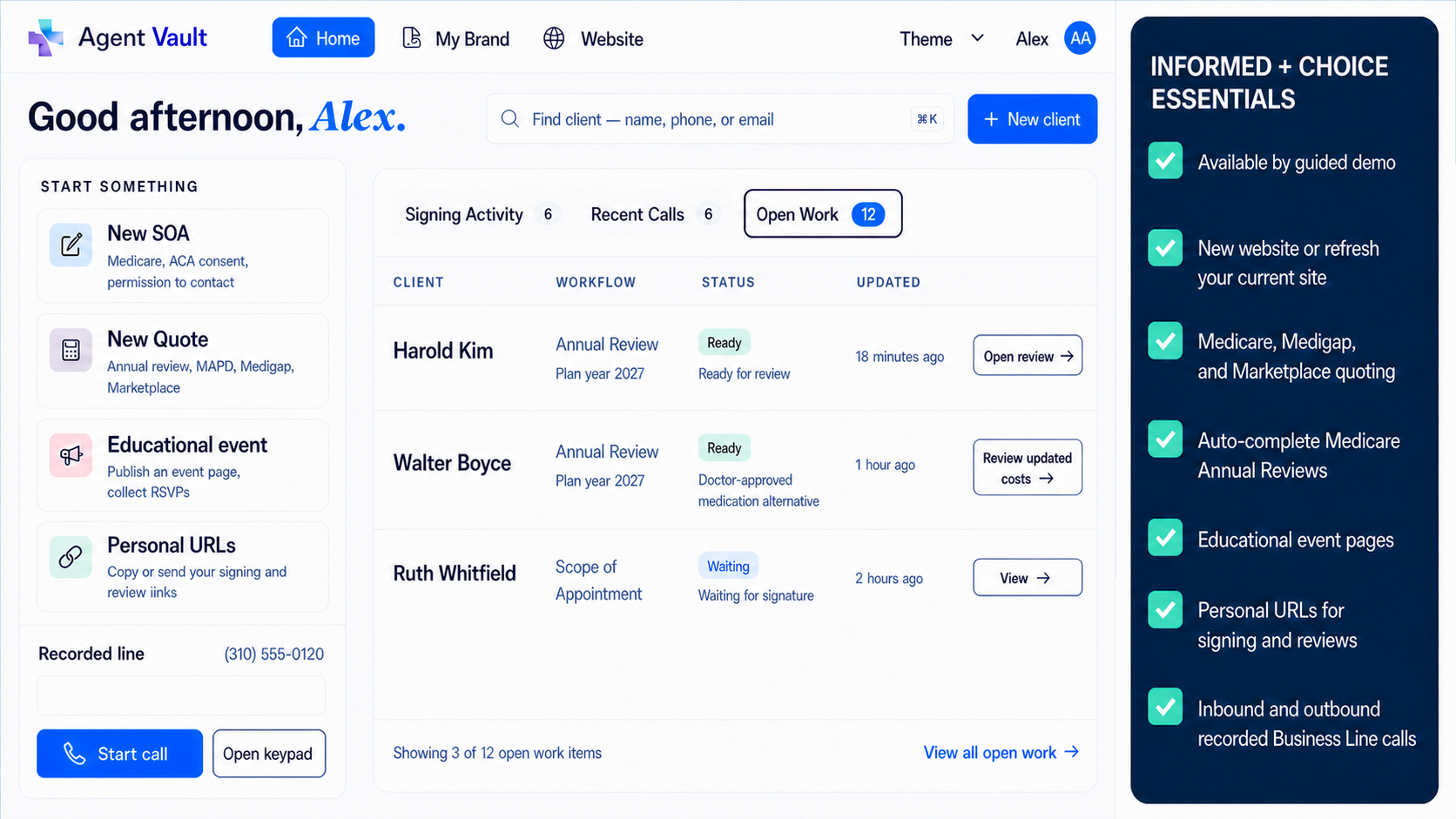
Build the archive before the handoff
Move the record package while you still control the source accounts.
Request an Essentials demo to review supported CRM, SOA, ACA, call, document, historical-import, search, download, and export workflows before moving records from an FMO, agency, CRM, or phone system.
Electronic SOA is the only current self-service checkout. Business Telephone is coming soon as a separate product. Broader record portability requires an approved Essentials or agency scope.
Essentials is available through a guided demo. It has no public price, free trial, or automatic production signup. Electronic SOA remains available separately for $9.99/month.
The Bottom Line
Independent Medicare agents should not rely on a single FMO-provided platform, CRM, phone system, cloud folder, or enrollment tool as the only long-term archive for SOAs, call recordings, ACA records, uploaded documents, and enrollment-related proof.
Those tools may be useful for selling.
They may not be the best place to keep the proof forever.
A better workflow is to keep quoting and enrollment tools separate from the compliance record layer.
Use your approved tools for the sale.
Use an independent vault for the records.
That way, if you change FMOs, agencies, CRMs, phone systems, or platforms, your SOAs, call recordings, ACA consent records, eligibility review confirmations, telephonic enrollment records, uploaded documents, and historical files can stay searchable, connected, and exportable under your account.
That is the real value of portable Medicare SOA and call recording storage.
Sources
- Federal Register, 91 FR 17384: Contract Year 2027 Medicare Advantage and Part D final rule. Accessed 2026-08-08.
- CMS Contract Year 2027 final rule fact sheet: Centers for Medicare & Medicaid Services. Accessed 2026-08-08.
- 45 CFR 155.220: Electronic Code of Federal Regulations. Accessed 2026-08-08.
- SOA Vault: Informed + Choice product page.
- Agent Workspace: Informed + Choice product page.
Frequently Asked Questions
What is portable Medicare SOA and call recording storage?
Portable Medicare SOA and call recording storage means your records remain searchable, connected, and exportable even if you change FMOs, agencies, CRMs, phone systems, or enrollment platforms. The goal is to keep the SOA, call recording, ACA record, enrollment-related file, uploaded documents, notes, and proof packet under your control.
Why should Medicare agents avoid storing all records inside an FMO platform?
FMO platforms can be useful for quoting, enrollment, SOAs, and other workflows. The risk is relying on that platform as the only long-term archive. If you leave the FMO or lose access, you may have difficulty retrieving old SOAs, call recordings, consent records, notes, and supporting documents.
Can I use SunFire, Connecture, or MedicareCENTER and still use SOA Vault?
Yes. Agents can use SunFire, Connecture, MedicareCENTER, carrier portals, or other approved tools for quoting and enrollment while using Electronic SOA for focused SOA creation and retrieval. Broader CRM, call, ACA, upload, and record-management needs follow the Essentials demo or agency path.
Can I export call recordings from SunFire, Connecture, or MedicareCENTER?
It depends on the platform, account configuration, FMO relationship, agency setup, and record type. Agents should ask whether they can export recordings, transcripts, SOAs, ACA records, notes, uploaded files, and the related proof packet before relying on any platform as the only long-term archive.
How long must Medicare agents keep SOA records?
Agents should treat SOAs as long-term compliance records and follow current CMS rules, carrier procedures, FMO policies, agency requirements, and applicable state rules. CMS's CY2027 rule continues to require SOAs before personal marketing appointments, and in-person personal marketing appointments require written SOAs. This article is focused on portability, not a complete SOA retention guide.
What does CMS require for Medicare call recording retention?
For CY2027, CMS finalized that Medicare Advantage and Part D marketing and sales calls must be recorded and retained for at least six years. Audio must be kept for the first three years. For years four through six, the record may be maintained as audio or as a complete and accurate transcript recording.
Do Medicare enrollment recordings still need to be kept for 10 years?
Enrollment records remain separate from the six-year marketing and sales call recording framework. CMS stated that the CY2027 change maintained the separate 10-year enrollment-record requirement and that, for phone enrollments, the enrollment portion of the call can serve as the enrollment form and proof of intent to enroll.
What changed about the 48-hour SOA rule?
CMS finalized the elimination of the 48-hour waiting period between SOA completion and a personal marketing appointment. Agents still need the required SOA before the personal marketing appointment, and in-person personal marketing appointments require written SOAs.
Do ACA consent records need to be stored too?
Yes. ACA Marketplace rules require agents, brokers, and web-brokers to document consumer consent before assisting with or facilitating enrollment through a Federally-facilitated Exchange or helping with APTC or CSR applications. Agents should keep ACA consent and eligibility application review records organized and retrievable.
Is a CRM enough for Medicare compliance records?
A CRM may help with pipeline, tasks, notes, and follow-up, but it may not be enough if the SOA, call recording, ACA consent, eligibility review documentation, telephonic enrollment record, uploaded files, and exportable proof packet are not connected. A compliance vault is designed around retrieval and proof.
What should I store with a Medicare call recording?
Store the call recording with the related SOA, date and time, agent information, client information, product context, notes, uploaded files, enrollment-related documents, ACA consent or eligibility review records if applicable, and any carrier or complaint-response documents that explain the file.
Medicare and ACA Compliance Expert
Christian Rodgers is a Medicare and ACA compliance expert with over 30 years in the healthcare industry, having worked for some of the largest health plans in the United States. He has provided Medicare sales training to hundreds of agents in California and Florida.
Connect on LinkedIn