01
Follow the client, not just the task
Look for one client record that keeps open work, SOA status, quote and review evidence, permitted call recordings, files, and the next action together.
Agent Workspace for licensed Medicare agents
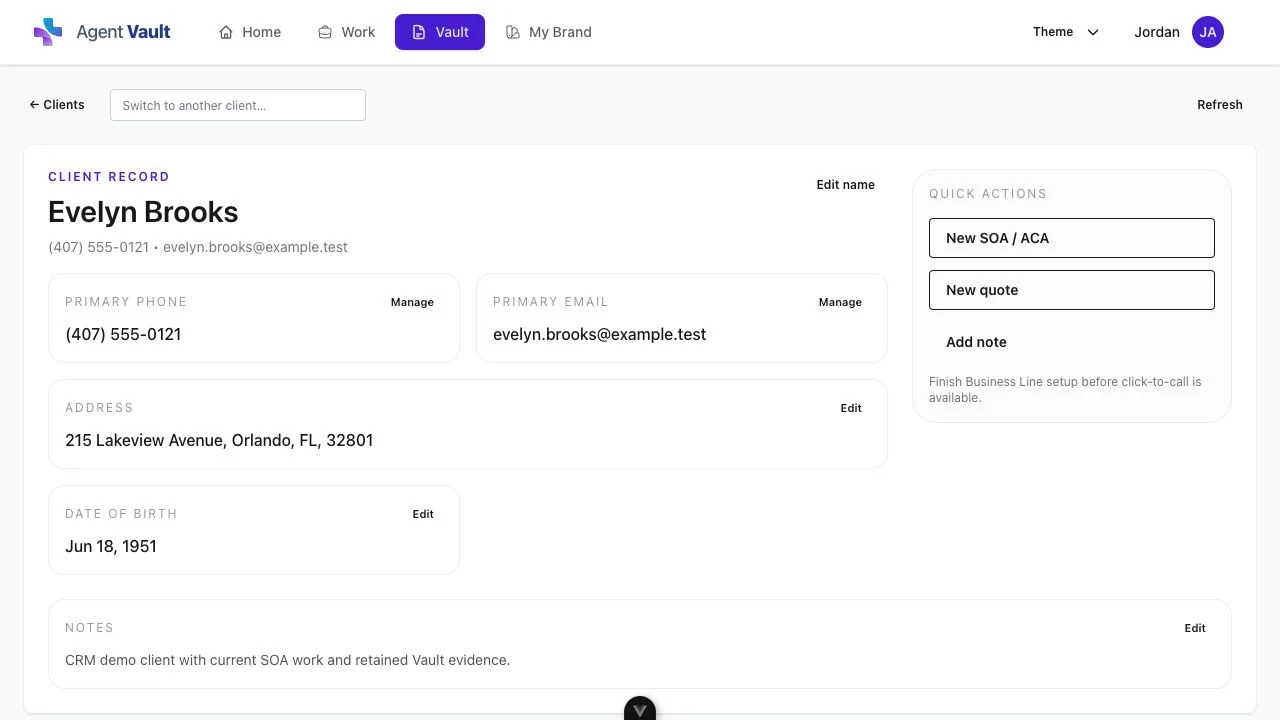
Connect CRM, SOA tracking, MAPD, Part D, and Medicare Supplement quoting, Annual Review, permitted call recordings, follow-up, and exportable records.
Works beside required carrier, FMO, and approved enrollment platforms. Agent Workspace supports the work around enrollment; it does not submit carrier enrollments.
B2B software for licensed insurance professionals. This page does not offer insurance coverage, carrier appointments, or consumer enrollment services.
A practical evaluation standard
The useful question is not whether a platform says "all in one." It is whether the real work stays connected, can be produced when needed, and remains honest about where the agent must use another approved system.
01
Look for one client record that keeps open work, SOA status, quote and review evidence, permitted call recordings, files, and the next action together.
02
A feature list is not enough. Confirm how the agent sends an SOA, sees what is pending, runs a review or quote, retrieves a recording, and exports the record.
03
Agent software can support the work around an enrollment while carrier, FMO, and approved enrollment systems remain part of the required submission path.
Connected workflow proof
Agent Workspace connects the specialized Medicare work around the client. Each link below shows the relevant product workflow and where its responsibility stops.
01
CRM + SOA
Open the client record, send a private electronic SOA link, see pending or completed status, and keep the signed file searchable, retrievable, and exportable.
See Medicare CRM with SOA tracking02
Annual Review
Collect available Medicare data or guided client input, organize medications, pharmacy, doctors, coverage, costs, and plan evidence, then keep the licensed agent in control of the review.
Explore Medicare Annual Review software for agents03
Quoting
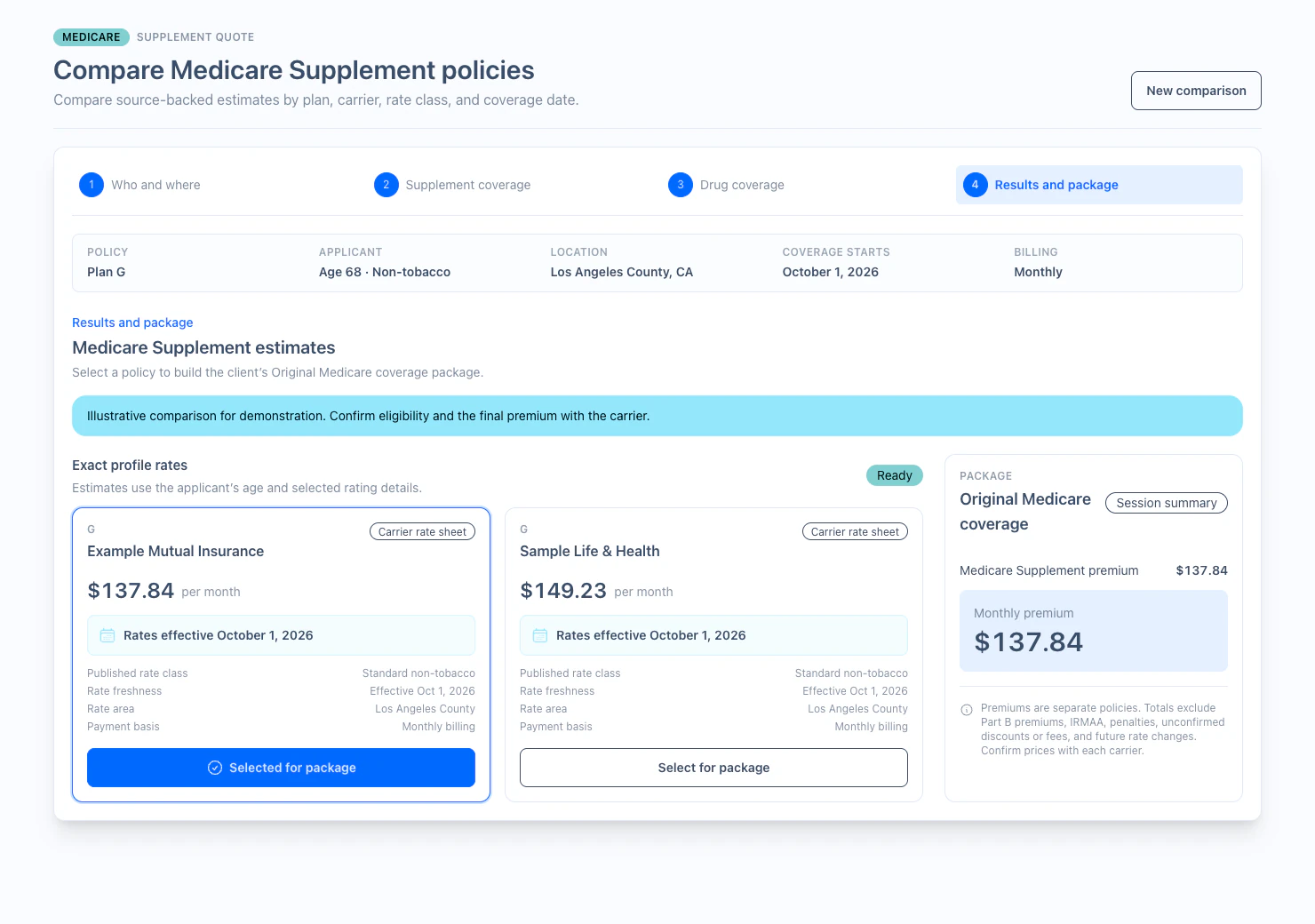
Run Medicare Advantage, including Medicare Advantage Prescription Drug (MAPD), standalone Part D, and Medicare Supplement quoting workflows where available. Keep quote work beside the client record, SOA, review evidence, calls, and follow-up.
Explore Medicare quoting software for agents04
Business Line + records
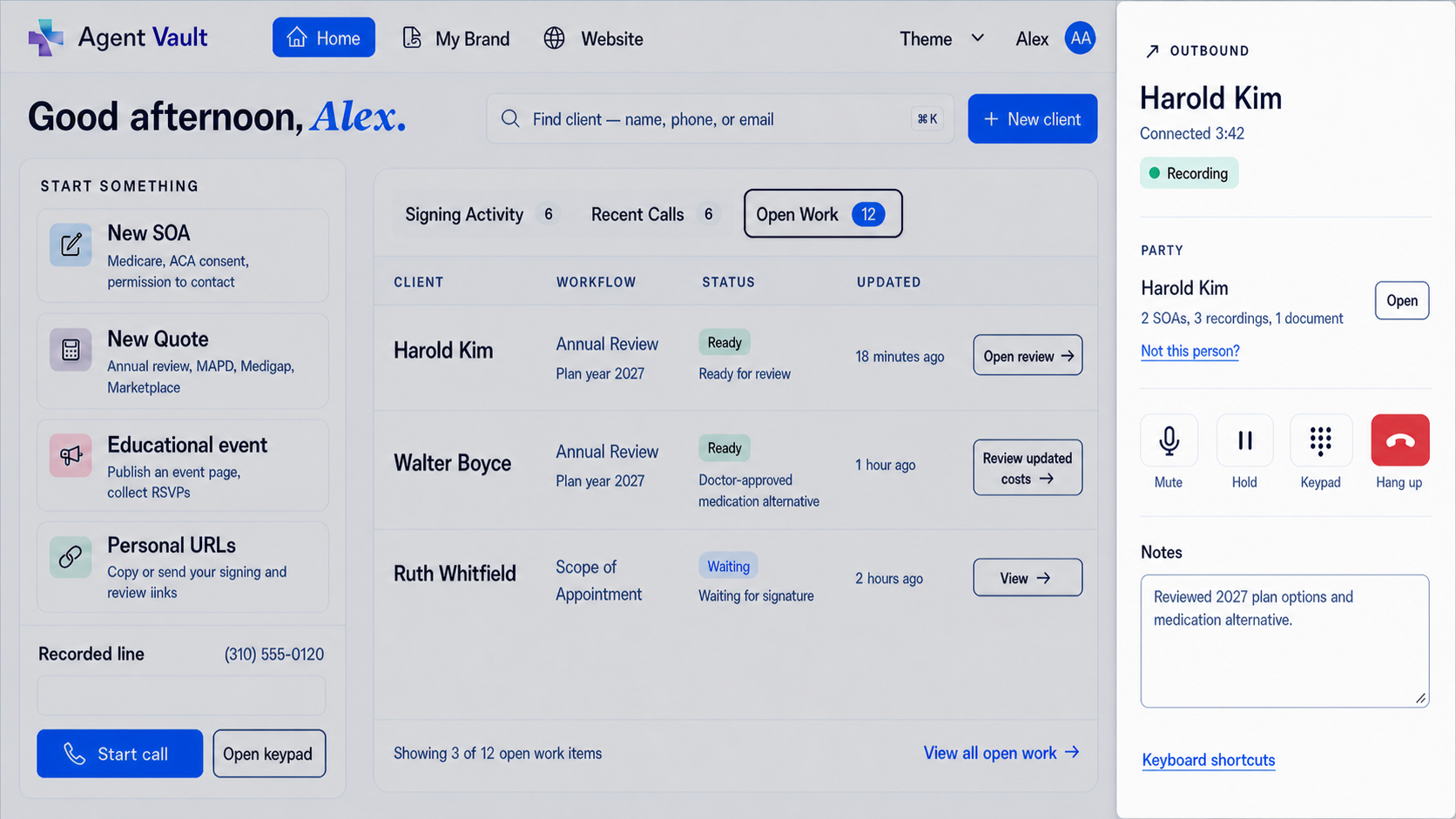
Make and answer business calls inside Agent Workspace. When recording is permitted and the required notice and consent path is complete, keep the recording, notes, and supporting files connected and exportable.
Explore the recorded business line for Medicare agentsA deliberate product boundary
Agent Workspace can prepare, document, and retain the work around the recommendation. The licensed agent still follows the applicable carrier, FMO, and approved enrollment path for submission.
01 / Workspace supports
Client records, SOAs, review evidence, quotes where available, permitted recordings, files, and follow-up.
02 / Agent decides
The licensed agent reviews the evidence, explains tradeoffs, and determines the appropriate next step with the client.
03 / Approved systems submit
Carrier, FMO, and approved enrollment platforms remain the system of record for enrollment submission where required.
Illustrative product views
Informed + Choice Essentials
$29.99/month after trial.
Sign up online to use the connected Medicare workflow with your client book.
Start your 30-day free trialCard required at checkout. One trial per NPN. Monthly subscription.
01
CRM client records, open work, notes, and follow-up
02
Electronic SOA links, status, storage, and export
03
Medicare Annual Review with agent-controlled decisions
04
MAPD, Part D, and Medicare Supplement quoting where available
05
In-app recorded Business Line with optional activation
06
Agent website, educational events, and long-term Vault
Independent agencies and FMOs
Agency implementations are scoped separately around agent count, provisioning, branding, hierarchy, reporting, support, and rollout requirements.
Responsibility map
CRM and electronic SOA
Workspace:Connects client details, open work, private SOA links, status, follow-up, and stored files.
Boundary:Carrier- or FMO-specific SOA acceptance rules still apply to the submission workflow.
Quote and review preparation
Workspace:Supports MAPD, standalone Part D, and Medicare Supplement quoting where available plus a rules-based Annual Review.
Boundary:Does not determine eligibility, underwriting approval, final premium, suitability, or policy issuance.
Calling and recording
Workspace:Provides inbound and outbound calls inside the app, permitted recordings, notes, retrieval, and export.
Boundary:Agents remain responsible for required notices, consent, scripts, state law, and carrier procedures.
Records and follow-up
Workspace:Keeps SOAs, calls, review evidence, documents, and next actions connected to the client.
Boundary:Retention and production duties depend on the record type and the rules and contracts that apply.
Carrier enrollment submission
Workspace:Keeps the supporting work and resulting records organized around the client relationship.
Boundary:Carrier, FMO, and approved enrollment platforms remain required where applicable.
Related Medicare workflows
Medicare agent software FAQ
Evaluate the complete workflow, not only a feature list. Confirm how the software connects the client record, Scope of Appointment status, quote and review evidence, permitted recordings, files, retrieval, export, and follow-up. Agent Workspace supports those activities around an enrollment, but it does not replace or submit through carrier, FMO, or approved enrollment platforms.
Yes. Agent Workspace connects client records, notes, open work, and follow-up with private electronic SOA links, pending and completed status, and stored records that are searchable, retrievable, and exportable.
Agent Workspace includes an optional Business Line for inbound and outbound calls inside the app. Supported calls can be recorded when recording is permitted and the required notice and consent path is complete. Recordings, notes, and supporting files can stay with the client record.
Agent Workspace includes Medicare Advantage, including Medicare Advantage Prescription Drug (MAPD), standalone Part D, and Medicare Supplement quoting workflows where available, plus Medicare Annual Review tools. It supports quote, review, documentation, and follow-up work; it does not submit carrier enrollment applications or replace carrier, FMO, or approved enrollment platforms.
Yes. Individual agents can sign up for Essentials online for a 30-day free trial, then $29.99/month. Card required at checkout; one trial per NPN. Agency and FMO implementations use a separate scope and pricing process because agent count, provisioning, branding, hierarchy, reporting, support, and rollout requirements vary.
The workflow is designed to keep client records, completed SOAs, permitted call recordings, review evidence, notes, and supporting files searchable, retrievable, and exportable. The required retention period and record package depend on the record type and the rules, contracts, and procedures that apply.
No. Software cannot guarantee compliance by itself. Agent Workspace provides workflow, recordkeeping, storage, retrieval, and export tools. Agents remain responsible for the notices, consent, scripts, disclosures, carrier procedures, state law, retention duties, and approved enrollment workflows that apply.
Agent Workspace
Start your 30-day free trial to connect your client records, SOAs, quoting, calls, and reviews. Essentials is $29.99/month after trial.
Start your 30-day free trialUse approved scripts, disclosures, carrier procedures, state rules, record-retention practices, and enrollment workflows for each case.