Agent Workspace by Informed + Choice
Medicare CRM with electronic SOA tracking
Keep the client record, Scope of Appointment status, follow-up, and signed files in one working view.
Send a private SOA link, see what is waiting or completed, and retrieve the signed record without moving files between a CRM and a separate SOA tool.
30-day free trial, then $29.99/month. Card required at checkout; one trial per NPN.
Software for licensed insurance professionals. This page does not offer health insurance coverage, insurance sales, or consumer enrollment services.
One client. One SOA trail.
Your CRM should know whether the SOA is still waiting
Move from the client record to the signed file without rebuilding the same relationship in another product.
- 01
Open the client record
Keep contact details, notes, open work, appointments, and the next action together before starting the SOA.
- 02
Send the electronic SOA
Create a private Scope of Appointment link and send it by text or email. The beneficiary signs from a browser; no app is required.
- 03
See what is waiting
Keep pending and completed SOA work visible beside the client relationship so follow-up does not depend on another dashboard.
- 04
Retain the signed record
Store, retrieve, and export the completed SOA with the client work and supporting files your business needs to keep.
Rendered product proof
Track the SOA from open work to the signed record
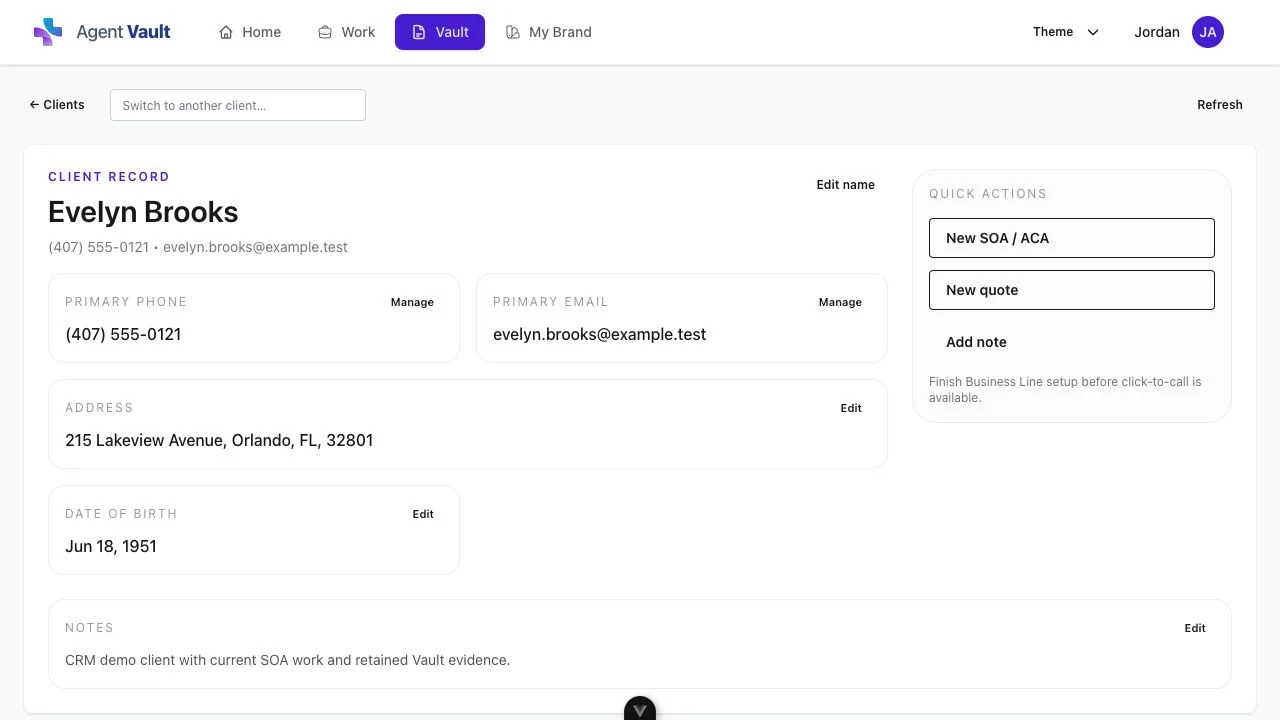
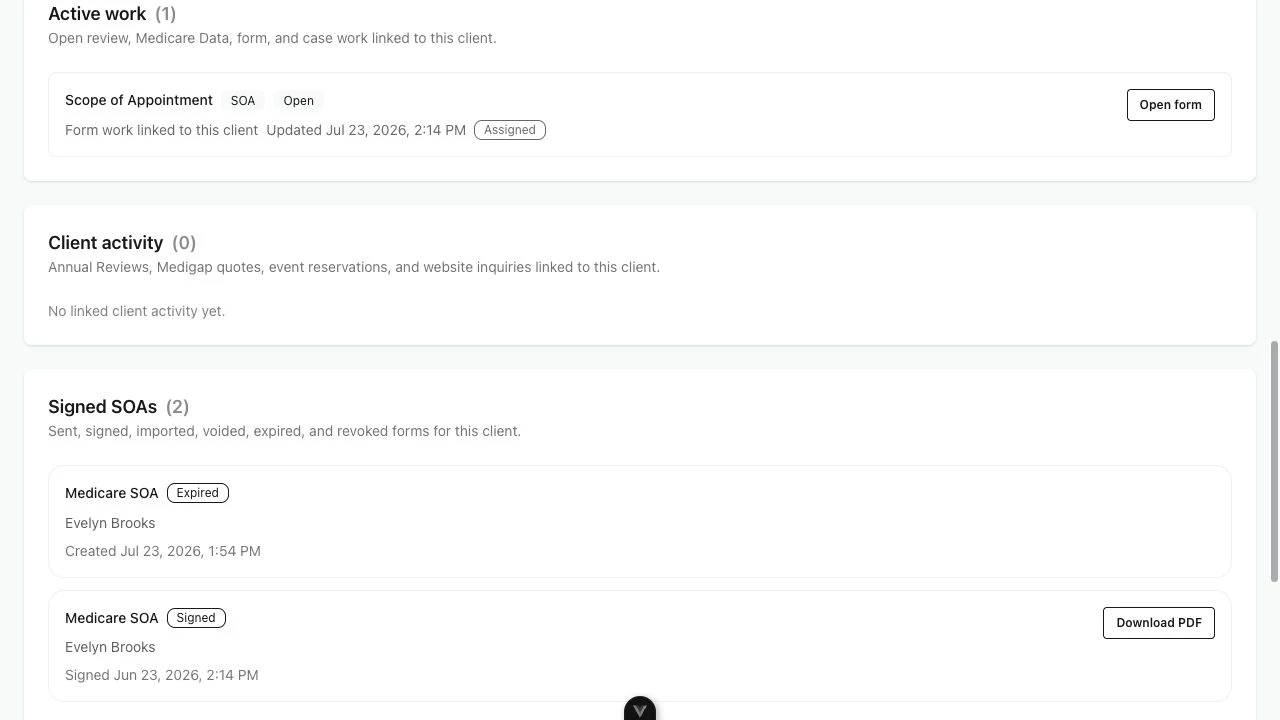
These screens come from a synthetic Agent Workspace client. They show the actual connection between current SOA work, retained records, and PDF retrieval without exposing customer information.
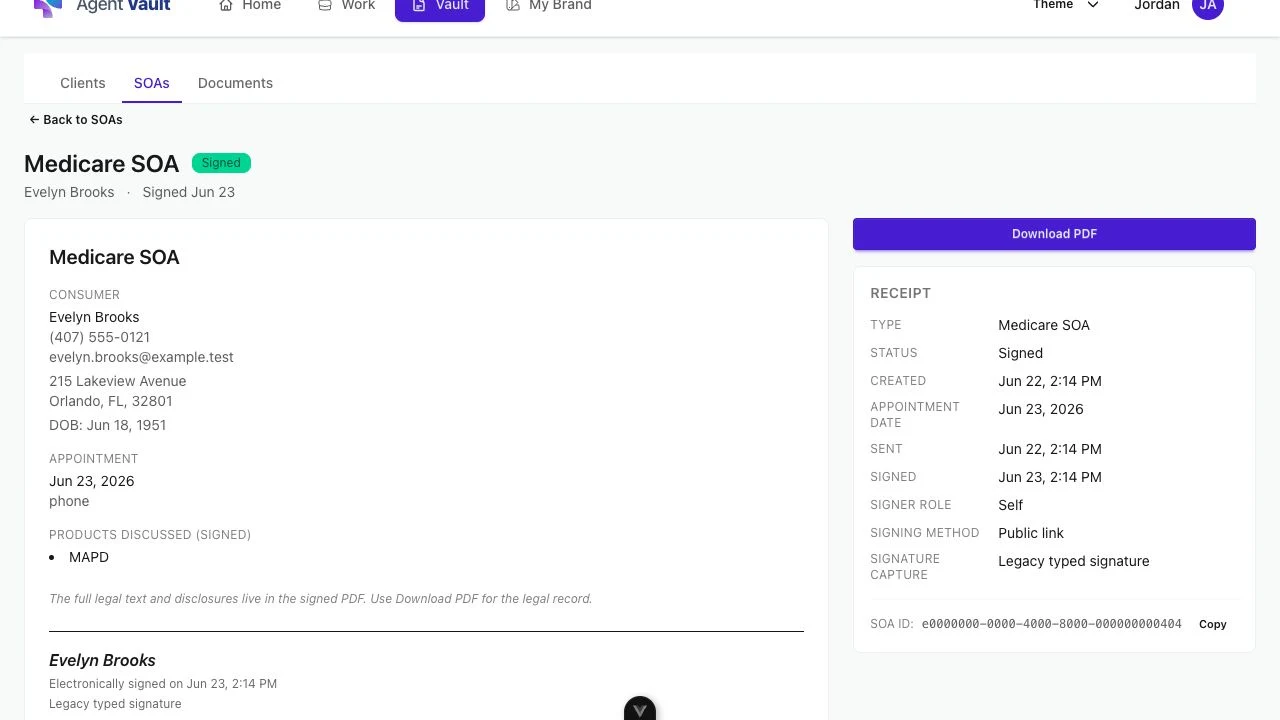
Retained record
Open the completed SOA and retrieve the legal record
- Signed status and completion date are visible at a glance.
- Appointment and product scope remain readable with the record.
- Download PDF keeps retrieval one action away.
See the dedicated electronic Scope of Appointment workflow, or review SOA storage and record export for the broader vault.
One working record
Stop handing the client back and forth between tools
A generic CRM can hold contacts. A standalone SOA tool can collect a signature. Agent Workspace keeps the work connected around the client.
Client and follow-up record
Separate:Stored in the CRM
Workspace:Connected to the same client workflow
Electronic SOA link
Separate:Created in a separate form tool
Workspace:Sent from the same account
Pending or signed status
Separate:Checked in another dashboard
Workspace:Visible with open client work
Completed SOA record
Separate:Downloaded and moved manually
Workspace:Searchable, retrievable, and exportable
Access path
Separate:Multiple subscriptions and provisioning steps
Workspace:Online Essentials signup with a 30-day free trial
Related agent workflows
Go deeper without creating another disconnected path
Use the broader workspace page for the full product, or follow focused call-recording and SOA resources for connected records, creation, retention, and current timing.
Available through Essentials
Start using the connected CRM and SOA workflow
Access path
$29.99/month after trial
30-day free trial. Card required at checkout. One trial per NPN.
Sign up online for the monthly Essentials subscription. Agency and FMO implementations are scoped separately.
Included in Agent Workspace
- 01 CRM client records, notes, work, and follow-up
- 02 Electronic SOA links by text or email
- 03 Pending and completed SOA status
- 04 Searchable record storage, retrieval, and export
- 05 Medicare Annual Review and quoting workflows
- 06 In-app calling and permitted call recording included
Built for individual licensed Medicare and ACA agents. Agency and FMO implementations use a separate rollout process.
Before you start
CRM and electronic SOA questions
Does Agent Workspace combine CRM and electronic SOA tracking?
Yes. Agent Workspace keeps client records, open work, follow-up, electronic Scope of Appointment workflows, and stored records in one account. The goal is to keep the SOA visible as part of the client relationship instead of treating it as an isolated form.
Can I see whether an electronic SOA is still pending?
Yes. The workflow is designed to keep waiting and completed Scope of Appointment work visible so the agent knows when follow-up is needed before the appointment.
Does the beneficiary need to download an app?
No. The beneficiary can open the private SOA link and complete the signer-facing form in a browser on a phone, tablet, or computer.
Can I retrieve or export completed SOA records?
Yes. Completed records are designed to be searchable, retrievable, and exportable so the agent can keep control of the business record and produce it when needed.
Does this replace carrier, FMO, quoting, or enrollment platforms?
No. Continue using carrier, FMO, quoting, and approved enrollment platforms where required. Agent Workspace keeps the client record, SOA work, supporting files, calls, and follow-up connected around those systems.
Does this page offer health insurance coverage or enrollment?
No. This page offers CRM and electronic Scope of Appointment workflow software for licensed insurance professionals. Informed + Choice does not sell or broker health insurance coverage or provide consumer insurance enrollment through this offer.
How do I get access to Medicare CRM with SOA tracking?
Medicare CRM with SOA tracking is included in Informed + Choice Essentials. Sign up online for a 30-day free trial, then $29.99/month. Card required at checkout; one trial per NPN.
Agent Workspace supports workflow and recordkeeping. It does not guarantee compliance by itself. Licensed agents remain responsible for the current notices, scripts, disclosures, carrier procedures, state rules, and approved enrollment workflows that apply to their business.
The client record and SOA belong together
See the CRM with electronic SOA tracking for yourself
Start your 30-day free trial to connect Medicare client records, electronic SOAs, calls, and follow-up. Essentials is $29.99/month after trial.
Start your 30-day free trial30-day free trial. Card required at checkout. One trial per NPN.