
Google Drive can store audio files. That does not automatically make it HIPAA-compliant call recording storage for Medicare agents, ACA agents, SOAs, consumer consent records, eligibility application review files, telephonic enrollment records, or audit-ready insurance documentation.
The better question is not simply: Can I upload a call recording to Google Drive?
You can.
The better question is: Can I use Google Drive in a way that protects sensitive information, satisfies HIPAA when HIPAA applies, supports CMS and Marketplace recordkeeping rules, keeps the right files connected, and lets me retrieve the record when a carrier, agency, FMO, CMS reviewer, Marketplace reviewer, or consumer asks what happened?
That is where the answer gets more complicated.
Google Workspace can support HIPAA compliance for certain services when the correct Business Associate Amendment is in place and the customer configures and uses the services properly. Google’s Workspace guidance says customers subject to HIPAA who want to use certain Google Workspace or Cloud Identity services for PHI must enter into a BAA with Google. Google also says customers who have not signed a BAA must not use PHI in Google Workspace or Cloud Identity services.
Google’s HIPAA Included Functionality list includes Google Drive, Google Docs, Google Forms, Google Sheets, Google Slides, Google Vids, Google Vault, and Google Voice for managed users under the applicable HIPAA Business Associate Addendum as of May 14, 2026.
But that does not mean every Google Drive account is automatically appropriate for Medicare or ACA call recordings. A personal Google Drive account is not the same thing as a properly configured Google Workspace environment with a BAA, admin controls, restricted sharing, retention planning, access reviews, and a documented recordkeeping workflow.
For many agents, Google Drive may be acceptable for ordinary business documents. For call recordings tied to Medicare, ACA, SOA, enrollment, consent, eligibility review, complaints, or audit files, agents usually need something more structured.
The product path depends on the record. Electronic SOA covers the focused Medicare SOA workflow. Business Telephone is coming soon for in-app calling and permitted recording. Broader ACA, upload, historical-record, and connected-record needs follow an Essentials demo or agency agreement.
The short answer
Google Drive is not automatically HIPAA compliant just because it is Google Drive.
A safer way to think about it is this:
Personal Google Drive
Usually a poor fit for Medicare or ACA call recordings that include sensitive consumer, health, enrollment, or financial information.
Google Workspace Drive
Potentially usable when the right Google Workspace account, BAA, admin controls, security settings, sharing restrictions, retention policies, and compliance procedures are in place.
Google Workspace + Google Vault
Helpful for retention, holds, search, and export across supported Workspace data, but still a general Workspace retention and eDiscovery tool.
Google Drive folders
Easy to start, but easy to misfile, overshare, delete, rename, or disconnect from the related SOA, ACA consent record, enrollment file, or complaint file.
Informed + Choice product paths
Electronic SOA is the focused SOA product. Business Telephone is coming soon for in-app calling and permitted recording. Broader ACA, upload, historical-record, retrieval, and export needs follow an approved Essentials or agency rollout.
The practical recommendation: use Google Drive for ordinary business files. Use the Informed + Choice product path that matches the regulated workflow when the record may need to prove what happened later.
Why this matters for insurance agents
A call recording is not just an MP3 file.
A Medicare or ACA call recording may contain:
- Consumer name.
- Date of birth.
- Address.
- Medicare information.
- Marketplace information.
- Doctors.
- Prescriptions.
- Household income.
- Tax household details.
- Plan discussion.
- Enrollment intent.
- ACA consent language.
- Application review confirmation.
- SOA discussion.
- Complaint-related facts.
- Carrier or plan context.
That kind of recording can become part of a compliance file. Once that happens, the storage question is bigger than “Where did I upload it?”
A strong recordkeeping system should help you answer:
- Which consumer does this recording belong to?
- What date and time did the call happen?
- Which agent handled the call?
- Was it a Medicare marketing or sales call?
- Did it include a telephonic enrollment portion?
- Was there a Scope of Appointment?
- Was ACA consumer consent captured?
- Was eligibility application review documented before submission?
- Are the supporting files attached?
- Can the record be found years later?
- Can the record be exported if the agent changes FMOs, agencies, CRMs, phone systems, or enrollment platforms?
Google Drive can hold the file. It does not automatically create the compliance record.
Is Google Drive HIPAA compliant for call recordings?
Google Drive can be part of a HIPAA-supporting environment only when the correct conditions are met.
HHS says a HIPAA covered entity or business associate may use a cloud service provider to store or process ePHI if it enters into a HIPAA-compliant business associate agreement with the cloud provider and otherwise complies with the HIPAA Rules. HHS also emphasizes that covered entities and business associates need to understand the cloud environment, conduct risk analysis, and establish risk management policies.
Google’s own Workspace documentation takes a similar position. Google says Workspace and Cloud Identity customers subject to HIPAA must enter into a Business Associate Amendment before using included services for PHI, and customers remain responsible for determining whether they are subject to HIPAA and whether they use or intend to use PHI in Google services.
So the practical answer is:
Google Drive is not HIPAA compliant by default. Google Workspace Drive may support HIPAA compliance when the proper BAA, configuration, access controls, security procedures, and risk management process are in place.
For insurance agents, that distinction matters. A recording saved in a personal Gmail Drive folder is not the same as a recording stored in a controlled Workspace environment with documented compliance procedures.
Personal Google Drive vs. Google Workspace Drive
Agents often say “Google Drive” as if every Drive account is the same. They are not.
A personal Google account usually lacks the business-level controls an agency may need for sensitive insurance records. It may be easy to use, but it is usually not the right place for Medicare call recordings, ACA consent recordings, SOAs, enrollment-related files, or documents that may contain PHI or sensitive consumer information.
Google Workspace can offer stronger administrative controls, shared drives, user management, retention tooling, and BAA workflows. But even then, the agency or agent remains responsible for how the system is configured and used.
A properly configured Google Workspace environment should generally address issues such as:
- Whether a Google BAA has been accepted.
- Which services are covered by the BAA.
- Whether PHI is being placed only in included functionality.
- Whether third-party apps or add-ons are involved.
- Who owns the files.
- Who has access.
- Whether external sharing is limited.
- Whether users can share by public link.
- Whether former staff retain access.
- Whether files are stored in personal My Drive folders or business-owned shared drives.
- Whether Google Vault retention rules apply.
- Whether deletion, legal hold, and export procedures are documented.
Google Drive can be part of a business compliance environment. It is not, by itself, the compliance environment.
What Google Vault does and does not solve
Google Vault is not the same thing as Google Drive.
Google Drive is file storage. Google Vault is a Workspace retention and eDiscovery tool. Informed + Choice separates focused Electronic SOA, coming-soon Business Telephone, and demo-led Essentials workflows.
Those are three different things.
Google says Vault retention rules control how an organization saves and deletes Workspace data for compliance or regulatory reasons. Vault can keep data for as long as needed and can preserve data even if users delete messages, files, or empty trash. Google also warns that an improperly configured retention rule can allow Google services to immediately and irreversibly purge data.
That means Google Vault may help a Workspace administrator manage certain business records, but it still does not automatically answer the insurance-agent questions:
- Is this a Medicare marketing or sales call?
- Is this a telephonic enrollment record?
- Is this a telephone SOA record?
- Is this an ACA consumer consent recording?
- Is this an eligibility application review confirmation?
- Which SOA belongs with this recording?
- Which plan discussion does this file support?
- Which records should be exported together?
- What happens when the agent changes FMOs or platforms?
Vault may help preserve supported Workspace data. It does not turn a folder of files into an agent compliance workflow.
How long do insurance agents need to keep call recordings?
This section is intentionally concise because Medicare retention deserves its own page.
For Medicare Advantage and Part D marketing and sales calls, CMS finalized a CY2027 framework requiring marketing and sales calls, including audio portions of web-based calls, to be recorded and retained in their entirety for at least six years. Audio must be maintained for the first three years. For years four, five, and six, records may be maintained as audio or as complete and accurate transcripts.
Enrollment records are different. CMS stated that the CY2027 marketing and sales call retention change maintained the separate requirement that enrollment records be retained for 10 years, and CMS explained that for phone enrollments the enrollment portion of the call can serve as the enrollment form and proof of the beneficiary’s intent to enroll.
For agents, the practical takeaway is:
Do not store every recording as if every file has the same rule.
A single call may include a marketing discussion, SOA-related discussion, enrollment portion, ACA consent, application review confirmation, complaint facts, or supporting sales documentation. The storage system should help classify the record, not just hold the file.
For a deeper explanation of the rule change, read CY2027 Medicare call recording retention. For the old shorthand and the current distinction, see Medicare call recording 6 years vs. 10 years. If you need to classify a record, start with marketing call vs. enrollment recording.
What about ACA consent recordings?
ACA Marketplace documentation follows a different recordkeeping track.
Federal Marketplace rules require agents, brokers, and web-brokers to obtain and document consumer consent before assisting with or facilitating enrollment through a Federally-facilitated Exchange or assisting with advance premium tax credit or cost-sharing reduction applications. The eCFR text says acceptable documentation can include a verbal confirmation captured in an audio recording.
The same rule says consent documentation must include the scope, purpose, duration, date, consumer or authorized representative name, agent/broker/web-broker/agency name, and a rescission process. The documentation must be maintained for at least 10 years and produced upon request in monitoring, audit, and enforcement activities.
The rule separately requires documentation that eligibility application information was reviewed by and confirmed accurate by the consumer or authorized representative before submission. That documentation also must be maintained for at least 10 years.
That means an ACA recording in Google Drive is not useful merely because it exists. It needs to be connected to the consumer file and the specific record it supports:
- ACA consumer consent.
- Eligibility application review confirmation.
- Renewal discussion.
- Plan-change documentation.
- SEP support.
- Marketplace-related files.
- Supporting screenshots or uploads.
A generic folder labeled “ACA calls” is better than nothing, but it may still be weak if the recording is disconnected from the actual consent or review record.
For deeper ACA content, read about ACA consumer consent and eligibility application review records.
Where Google Drive works well for agents
Google Drive can be useful in an insurance business.
It can work well for:
- General business documents.
- Training materials.
- Internal spreadsheets.
- Marketing drafts.
- Non-sensitive templates.
- Carrier reference files.
- Team collaboration.
- Non-client-specific documents.
Google Workspace can also be part of a more controlled document-management environment when the agency has the right BAA, admin controls, sharing settings, retention rules, access reviews, offboarding procedures, and written policies.
The problem is not that Google Drive is a bad product. The problem is that Medicare and ACA compliance records are not ordinary files.
A call recording tied to a beneficiary complaint, carrier request, ACA consent review, enrollment question, SOA dispute, or AOR issue should not depend only on folder discipline and file names.
Where Google Drive falls short for Medicare and ACA call recordings
1. Google Drive does not create the compliance record
Google Drive can store a signed SOA. It does not create the SOA workflow.
Google Drive can store an ACA consent recording. It does not ensure the consent record captured scope, purpose, duration, date, consumer name, agent name, agency name, and rescission process.
Google Drive can store a Medicare call recording. It does not automatically classify the call as marketing, sales, enrollment, telephone SOA, complaint, or supporting file.
Storage is not the same thing as recordkeeping.
2. Google Drive does not automatically connect the call to the SOA
A call recording is more useful when it is stored with the related SOA, plan discussion, enrollment file, ACA consent record, eligibility review documentation, notes, and supporting documents.
In Google Drive, that connection usually depends on folder naming, manual uploads, spreadsheets, and memory.
That may work during a quiet week. It often breaks during AEP, OEP, SEP activity, ACA open enrollment, or a post-season cleanup.
3. Google Drive does not classify Medicare marketing vs. enrollment records
For CY2027, the distinction between marketing and sales calls and enrollment records matters. CMS reduced the marketing and sales call retention framework, but it did not fold enrollment records into that shorter framework.
A folder named “Call Recordings” does not know whether a call included a telephonic enrollment portion.
A better system should help the agent identify the record type before deciding how it should be retained.
4. Google Drive sharing can create access risk
Google Drive is built for collaboration. Collaboration is useful, but it can be dangerous when the files are sensitive call recordings.
Google states that sharing Drive content outside an organization can be important for collaboration, but it also carries risk of data leaks. Workspace administrators can turn external sharing on or off and use options such as warning users before sharing or blocking link sharing.
For agents, the practical risks include:
- A folder is shared by public link.
- A recording is shared outside the agency.
- A former assistant still has access.
- A producer uploads files to a personal Drive.
- An agency, FMO, or staff member owns the files.
- A consumer recording is stored in the wrong folder.
- A record is moved or renamed and becomes hard to find.
- The agent cannot export the full proof file when needed.
5. Google Drive deletion behavior is not a compliance workflow
Google says that when a file or folder is moved to Trash, it remains there for 30 days, and after 30 days files are deleted forever. If Trash is manually emptied, the file is deleted forever.
A Workspace admin may have more recovery or retention tools depending on configuration, but ordinary Drive deletion behavior is not the same as an insurance-specific retention workflow.
An agent compliance archive should be designed around long-term record access, not ordinary folder cleanup.
6. Google Drive does not preserve agent control when files live in someone else’s account
Independent agents change tools. They change FMOs. They change CRMs. They change agencies. They change phone systems. They move between quoting and enrollment platforms.
If the call recording lives inside someone else’s Google Drive, CRM, FMO system, phone dashboard, or staff account, the agent may not truly control the archive.
An approved Essentials or agency record-management workflow can be scoped around agent-controlled access and export needs if the agent changes FMOs, agencies, CRMs, phone systems, or sales workflows.
For a focused product comparison, see Google Drive vs. Electronic SOA.
A practical checklist if you are using Google Drive today
Agents who already have recordings in Google Drive should not panic. The immediate goal is to reduce risk and improve organization.
Use this checklist as a cleanup plan.
1. Identify the account type
Confirm whether the files are stored in:
- Personal Google Drive.
- Google Workspace Drive.
- Agency-controlled Workspace.
- Shared drive.
- Staff member’s account.
- FMO account.
- Old CRM export folder.
- Phone-system export folder.
If the files are in a personal account or someone else’s account, that is your first risk point.
2. Confirm whether HIPAA applies
If call recordings include PHI or health-related information, review whether your business is acting as a covered entity, business associate, or subcontractor.
HHS says a covered entity or business associate using a cloud provider for ePHI needs a HIPAA-compliant BAA with the cloud provider and must otherwise comply with HIPAA.
3. Confirm whether a Google BAA is in place
If PHI is involved and Google Workspace is being used, confirm whether the Google Business Associate Amendment has been accepted by an authorized Workspace administrator.
Google says Workspace and Cloud Identity customers subject to HIPAA must enter into a BAA before using included services for PHI.
4. Lock down sharing
Review whether any sensitive folders are:
- Public by link.
- Shared outside the organization.
- Shared with former staff.
- Shared with personal Gmail accounts.
- Owned by the wrong user.
- Stored in My Drive instead of an agency-controlled shared drive.
Sensitive recordings should not depend on casual link sharing.
5. Separate records by type
At minimum, separate:
- Medicare marketing and sales calls.
- Medicare enrollment recordings.
- Telephone SOA recordings.
- Written SOA files.
- ACA consumer consent recordings.
- ACA eligibility application review confirmations.
- Complaint files.
- Carrier request files.
- Historical files needing review.
Do not treat every recording as one generic “call recording.”
6. Add metadata beyond the file name
A file name like John Smith call.mp3 will not be enough three years later.
A strong record should include:
- Consumer name.
- Date and time.
- Agent name.
- Record type.
- Product line.
- Carrier or plan context.
- Whether the call included marketing or sales discussion.
- Whether the call included enrollment.
- Whether the call supports a telephone SOA.
- Whether the call supports ACA consent.
- Whether the call supports eligibility application review.
- Related SOA, consent, review, enrollment, or uploaded documents.
- Export status.
7. Move compliance files into a purpose-built vault
If the file supports Medicare or ACA compliance, store it with the related record.
A call recording should not float separately from the SOA, consent record, application review confirmation, enrollment-related record, complaint file, or supporting sales documents.
When Google Drive may be acceptable
Google Drive may be acceptable for some agents or agencies when it is used as part of a controlled, documented compliance program.
That usually means:
- Google Workspace, not personal Gmail.
- A signed Google BAA when PHI is involved.
- Workspace admin controls.
- MFA.
- Restricted external sharing.
- Business-owned shared drives.
- Defined file ownership.
- Google Vault retention rules where appropriate.
- Written naming and classification standards.
- Periodic access reviews.
- Offboarding procedures.
- Documented deletion and legal-hold procedures.
- Carrier, agency, FMO, CMS, HIPAA, Marketplace, and state-law review.
But for many independent agents, that is a lot of infrastructure just to keep call recordings, SOAs, ACA records, and sales documents organized.
A more practical approach is to use Google Drive for ordinary business files and a purpose-built, approved record-management workflow for records you may need to produce later.
When agents should avoid Google Drive for call recordings
Agents should avoid relying on Google Drive as the main storage location for Medicare or ACA call recordings when:
- The account is personal.
- PHI may be involved and no BAA is in place.
- Files are stored in a staff member’s personal account.
- Folders are shared by broad or public links.
- Former staff or contractors still have access.
- Medicare marketing, enrollment, SOA, and ACA files are mixed together.
- There is no retention plan.
- There is no file classification process.
- The agent cannot quickly connect the recording to the SOA or consent record.
- The agent cannot export the full record package.
- The agent would lose access after leaving an agency, FMO, CRM, phone system, or enrollment platform.
The issue is not whether Google Drive can hold the file. It can.
The issue is whether the record can be found, understood, protected, and produced later.
Move the compliance file out of generic folders
The practical record is usually not one audio file. It is the call, SOA, consent record, review confirmation, enrollment-related file, notes, and uploaded documents together.
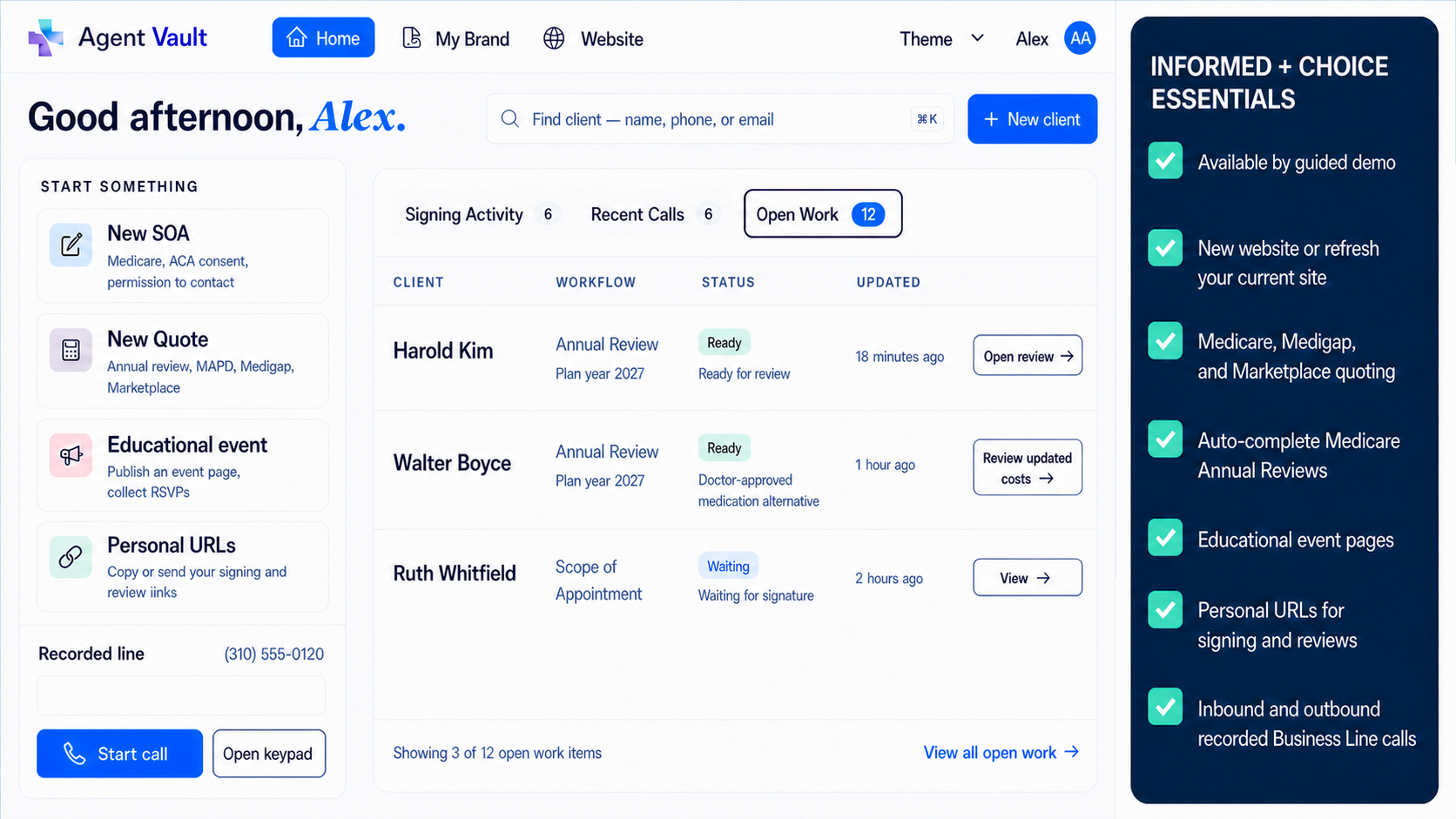
Move the record, not just the file
Scope the record workflow before moving sensitive files.
Request an Essentials demo to review supported SOA, ACA, call, historical-file, note, retrieval, and export workflows. We will confirm fit, support capacity, migration scope, and approved provisioning before any production access is created.
Business Telephone is coming soon at $39.99/month. No trial; payment will be required before activation when signup opens. Electronic SOA remains available separately for $9.99/month.
Migration plan: preparing old Google Drive recordings for an approved workflow
If you already have recordings in Google Drive, use a staged cleanup process.
Step 1: Inventory the folders
Identify every location where you have:
- Medicare call recordings.
- SOAs.
- Telephone SOA recordings.
- ACA consent files.
- Eligibility review records.
- Enrollment-related call files.
- Carrier request files.
- Complaint files.
- Historical documents.
Step 2: Sort by record type
Do not move everything into one generic bucket. Sort files by workflow:
- Medicare marketing or sales call.
- Medicare telephonic enrollment record.
- Telephone SOA.
- Written SOA.
- ACA consumer consent.
- ACA eligibility application review.
- Complaint or dispute.
- Carrier request.
- Historical file.
Step 3: Check ownership and access
Before importing, confirm who owns each file and who can access it. Remove unnecessary sharing and document records that are stored under accounts you do not control.
Step 4: Add missing context
For each file, capture the basic metadata:
- Client name.
- Date.
- Agent.
- Product line.
- Record type.
- Carrier or plan context.
- Related SOA or ACA record.
- Notes about enrollment, complaint, or audit relevance.
Step 5: Import records into a vault structure
Move the recordings and related files into a system where the record stays searchable and connected.
Business Telephone and approved Essentials workflows are designed to keep supported call and client records organized so the agent is not forced to rebuild the file from disconnected folders. Electronic SOA remains a separate focused product.
Step 6: Use the vault going forward
After cleanup, stop creating new disconnected records.
Store new call recordings with the related SOA, consent record, eligibility review confirmation, enrollment-related file, uploaded documents, and notes from the start.
The bottom line
Google Drive can store call recordings. That does not automatically make it HIPAA-compliant call recording storage for Medicare and ACA insurance agents.
A personal Google Drive account is usually not the right place for sensitive call recordings. Google Workspace Drive may support HIPAA compliance when the right BAA, covered services, configuration, admin controls, security practices, access restrictions, and risk management process are in place. But even then, Google Drive is still a general file system.
Medicare and ACA agents need more than storage. They need recordkeeping.
The record should show what happened, who was involved, what consent or SOA was captured, whether the call included marketing, sales, enrollment, ACA consent, or eligibility review, and whether the file can be retrieved or exported later.
For ordinary business documents, Google Drive may be fine.
For sensitive Medicare and ACA call recordings tied to SOAs, enrollment, ACA consent, eligibility review, complaints, audits, or carrier requests, use a purpose-built workflow whose approved scope and retention controls match the record.
Business Telephone and Essentials cover different parts of that job; neither is automatically enabled by the $9.99 Electronic SOA checkout.
This article is for educational purposes only and is not legal, HIPAA, CMS, Marketplace, carrier, FMO, or state-law advice. Agents should review current CMS guidance, Marketplace rules, carrier procedures, agency policies, HIPAA obligations, call-recording consent laws, and qualified compliance or legal advice for their specific workflow.
Sources
- Informed + Choice Essentials: Informed + Choice
- Agent Workspace: Informed + Choice
- Federal Register, 91 FR 17384: Centers for Medicare & Medicaid Services Accessed 2026-05-19.
- 45 CFR 155.220: Electronic Code of Federal Regulations Accessed 2026-05-19.
- May a HIPAA covered entity or business associate use a cloud service to store or process ePHI?: U.S. Department of Health & Human Services Accessed 2026-05-19.
- HIPAA Compliance with Google Workspace and Cloud Identity: Google Workspace Admin Help Accessed 2026-05-19.
- HIPAA Included Functionality: Google Workspace Accessed 2026-05-19.
- How retention works: Google Vault Help Accessed 2026-05-19.
- Learn what happens when you delete a file in Google Drive: Google Drive Help Accessed 2026-05-19.
- Manage external sharing for your organization: Google Workspace Admin Help Accessed 2026-05-19.
Frequently Asked Questions
Is Google Drive HIPAA compliant for Medicare call recordings?
Google Drive is not HIPAA compliant by default. Google Workspace Drive may support HIPAA compliance when the correct Google Business Associate Amendment is in place, the service is included under Google's HIPAA functionality, and the customer configures and uses the environment properly. Agents should also review whether HIPAA applies to their business and workflow.
Can insurance agents use personal Google Drive for call recordings?
Personal Google Drive is usually a poor fit for sensitive Medicare or ACA call recordings, especially when recordings may include PHI, PII, enrollment information, health information, prescriptions, doctors, Marketplace information, or other sensitive consumer details.
Is Google Workspace with a BAA enough for HIPAA?
A Google Workspace BAA may be necessary when HIPAA applies, but it is not enough by itself. The customer still needs proper configuration, access controls, risk analysis, risk management, security procedures, and appropriate use of included services.
Is Google Vault the same as Informed + Choice record management?
No. Google Vault is a Google Workspace retention and eDiscovery tool. Electronic SOA is a focused Medicare SOA product. Business Telephone is the coming-soon phone product, while broader ACA, upload, and cross-workflow record management requires an approved Essentials or agency rollout.
Can Google Drive handle Medicare call recording retention?
Google Drive can store audio files, but it does not automatically classify Medicare marketing calls, sales calls, enrollment records, SOA records, ACA records, complaint files, or supporting documents. Agents need a workflow that keeps the right recording connected to the right compliance file.
Can Google Drive store ACA consent recordings?
Google Drive can store recordings, but ACA agents need more than storage. ACA consumer consent and eligibility application review documentation generally need to be maintained for at least 10 years and produced upon request. If verbal confirmation is captured by phone, the recording should stay connected to the related consumer file.
Why use a focused Informed + Choice workflow instead of Google Drive?
Electronic SOA is built for licensed agents who need a focused branded SOA signing, tracking, storage, and retrieval workflow. Agents who need phone recording can join Business Telephone early access; broader connected records follow the Essentials demo or agency path.
Can agents move old Google Drive recordings into Informed + Choice?
A migration should begin by inventorying old folders, classifying records, confirming ownership and access, and identifying missing metadata. Broader recording imports are scoped through an Essentials demo or agency agreement rather than the public Electronic SOA checkout.
Medicare and ACA Compliance Expert
Christian Rodgers is a Medicare and ACA compliance expert with over 30 years in the healthcare industry, having worked for some of the largest health plans in the United States. He has provided Medicare sales training to hundreds of agents in California and Florida.
Connect on LinkedIn