
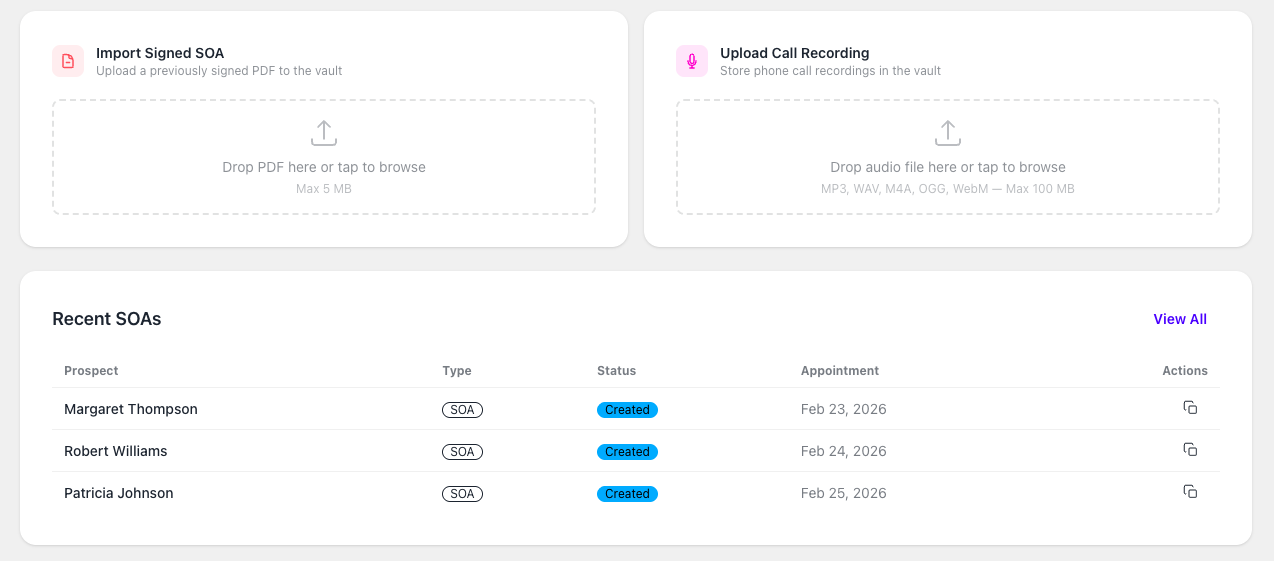
Many independent Medicare agents use Connecture, SunFire, or another enrollment platform through an FMO, agency, employer, or carrier relationship. Those tools can remain part of the workflow even when an agent adds a separate recordkeeping layer.
The important distinction is between the platform’s general capabilities and the access available under your particular relationship. Two agents using the same platform may have different administrator settings, permissions, export options, retention terms, or offboarding procedures.
That makes this less of a simple Connecture-versus-SunFire feature contest and more of an operational question: if a client record is needed years later, can you find the complete file and produce it in a usable format?
Compare access, retention, retrieval, and export
Use the questions below with your FMO, agency, platform administrator, contract, and current account configuration. Do not assume that a feature described publicly is enabled for every agent or that every record follows the same export process.
| Workflow question | What to verify in Connecture, SunFire, or the FMO portal | What a separate record layer can add |
|---|---|---|
| Quoting and enrollment | Which approved quoting, enrollment, carrier, and FMO workflows are available to your account? | No replacement is required; keep using the approved tools that fit the sale. |
| SOA creation and copies | Can you open, download, and retain the completed SOA and its audit details? | Use a personal SOA link and keep the completed record in a searchable vault. |
| Call recordings | Who can access the audio, how long is it available, and can the recording and metadata be downloaded? | Use an optional recorded business line when it fits, or upload files you are permitted to retain. |
| Search and retrieval | Can you find the file by client, date, record type, or other information your team uses? | Keep SOAs, permitted recordings, uploads, and notes connected to the client record. |
| Export and offboarding | Are single and bulk exports available, what formats and metadata are included, and what happens when access changes? | Search, retrieve, download, and export records maintained under your Informed + Choice account. |
| Ongoing responsibility | Which CMS, carrier, FMO, agency, contract, state-law, and legal-hold procedures apply? | A record layer supports the workflow but does not decide which rules govern a particular file. |
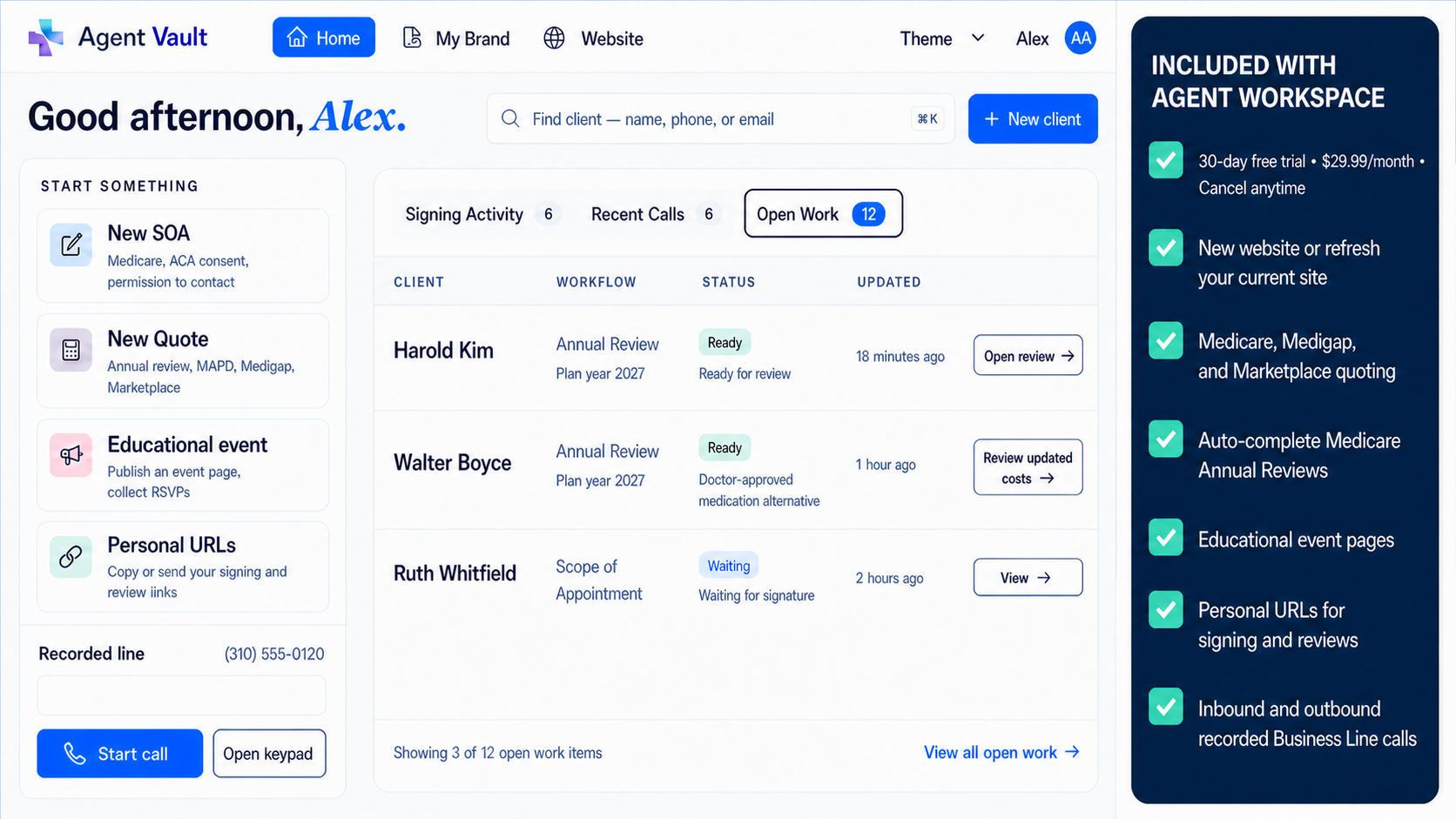
Essentials beside the tools you already use
Keep SOAs, permitted calls and client files connected in Essentials.
You do not have to replace Connecture, SunFire, your FMO portal, or your current CRM to use Informed + Choice.
Essentials connects client CRM, electronic SOA, permitted recorded business calls, notes, uploads and supported record export. Preserve copies you are authorized to retain alongside the tools you already use.
The practical question is not who “owns” a file in the abstract. It is whether your agreement and workflow allow you to access, retain, search, and export the complete client record when a business relationship changes.
Essentials is $29.99/month after a 30-day free trial. Card required at checkout; one trial per NPN. Informed + Choice can organize records you create, upload, or are permitted to retain; it does not grant access to third-party platform records or override contracts, permissions, carrier or FMO procedures, recordkeeping duties, or legal holds.
Who controls access, retention, and export?
The answer may involve more than one party. The agent may create the client relationship. An FMO or agency may administer the platform account. A carrier may control an enrollment workflow. The technology provider may operate the system. The contract and account settings may determine which records the agent can view, download, or export.
That is why a broad argument about data ownership is less useful than a specific access review. Ask who administers the account today, which files are visible to you, what may be copied or retained, how long access lasts, and how exports work before and after a relationship change.
The answer should come from the agreement, platform settings, written FMO or agency procedures, and a tested workflow—not from assumptions based on the platform logo.
Platform Dependency and Portability Risk
Platform dependency is not automatically a problem. A well-run FMO or agency platform can make quoting, enrollment, forms, and supervision easier. The risk appears when a record that must remain available later can only be reached through an account another party controls.
That risk is also relationship-specific. An agent with direct administrative access and documented export rights may have a very different portability position from an agent using a restricted downline account. Account configuration, contract language, administrator permissions, and offboarding procedures matter.
Before a move, contract change, or account closure, identify the records you may need to preserve and confirm what you are permitted to retain. Start early enough to resolve missing files, incomplete exports, or access questions while the current administrators can still help.
Treat exportability as a workflow to test
Do not stop at asking whether the platform has an export button. Test whether the available process produces a usable record.
- Single-record export: Can you download one completed SOA, recording, or client file when a carrier or complaint review requests it?
- Bulk export: If available under your account, what record types, date ranges, and file volumes are included?
- File format: Are the documents and recordings provided in formats your team can open and preserve?
- Metadata: Do timestamps, client identifiers, signature details, record type, and related audit information remain attached or understandable?
- Related files: Does the export keep the SOA, call, notes, uploads, and enrollment-supporting documents connected?
- Changed access: What retrieval or export process remains available after an agent, agency, FMO, or administrator relationship changes?
Document the result. A tested sample export tells you more than a general assurance that records are portable.
Add a record layer without replacing the current stack
A separate record layer can complement the tools already used for quoting and enrollment. The workflow can be straightforward:
- Keep the approved sales tools. Continue using Connecture, SunFire, carrier portals, FMO systems, or your CRM where they fit.
- Create a personal SOA path. Give clients a consistent electronic link when that workflow is appropriate and accepted.
- Preserve permitted copies. Store the completed SOA, related files, and recordings you are authorized to retain.
- Connect the evidence. Keep the call, form, notes, uploads, and supporting documents with the client record.
- Test retrieval and export. Open a sample record and confirm the files can be found, downloaded, and produced later.
Agents who only need the focused Medicare SOA workflow can use Electronic SOA. Agents who need quoting, Annual Review, ACA workflows, events, CRM, and broader connected records can start an Essentials trial. Business calling is included in Essentials. Essentials is $29.99/month after a 30-day free trial. Card required at checkout; one trial per NPN.
For platform-specific feature research, use the source-linked comparisons for ConnectureDRX and Informed + Choice SOA records and SunFire and Informed + Choice call recording. Those pages separate public product claims from the account-level questions agents still need to confirm.
The bottom line
Connecture, SunFire, an FMO portal, a CRM, and Informed + Choice can serve different parts of the same agent workflow. The goal is not to force every task into one system. The goal is to know where the complete record lives and whether you can retrieve it when the business relationship or technology stack changes.
Review access before you need it. Keep only the copies you are permitted and required to retain. Test search and export with a real sample record. Then choose the additional SOA, calling, and Workspace tools that make the process easier without disrupting the systems that already work.
Records, calls, and portability
Keep the client record usable when the rest of the stack changes.
SOA records
Use a personal link or preserve permitted copies of completed forms and related details.
Recorded calls
Use the Workspace business line when it fits, and follow applicable notice, consent, and recording rules.
Portable files
Keep authorized records searchable, retrievable, and exportable under the agreement governing your account.
This article is for educational purposes only and is not legal advice. Platform features, administrator controls, permissions, contracts, and export options can vary and can change. Agents should verify current terms and account capabilities and follow applicable CMS guidance, carrier rules, FMO and agency procedures, state laws, recordkeeping requirements, and legal holds.
Frequently Asked Questions
Can I export call recordings from SunFire or Connecture?
Export availability can depend on the particular FMO or agency relationship, account configuration, contract, platform permissions, record type, and current workflow. Agents should verify single-record and bulk export options, file formats, metadata, related attachments, and what access remains available if the business relationship changes.
Do I have to replace Connecture or SunFire to use Informed + Choice?
No. Agents can continue using their preferred FMO, quoting, enrollment, and CRM tools. Informed + Choice can provide a separate personal SOA workflow and searchable record layer, while Agent Workspace adds optional in-app business calling and other connected tools when they fit the agent's process.
What should agents verify before changing FMOs or platforms?
Review the agreement, account ownership, administrator permissions, retention terms, available exports, file formats, recording access, related metadata, offboarding process, and any carrier, agency, legal-hold, or recordkeeping requirements that affect the files.
Medicare and ACA Compliance Expert
Christian Rodgers is a Medicare and ACA compliance expert with over 30 years in the healthcare industry, having worked for some of the largest health plans in the United States. He has provided Medicare sales training to hundreds of agents in California and Florida.
Connect on LinkedIn